Local models (Ollama)
Ollama lets you run language models entirely on your own machine — requests never leave your device and no external API key is required. Kodik automatically discovers a running Ollama server and offers all pulled models for selection.
Installing Ollama
Section titled “Installing Ollama”If Ollama is not yet installed, Kodik will offer to install it from the UI. You can also install it manually.
| OS | Command |
|---|---|
| Linux | curl -fsSL https://ollama.com/install.sh | sh |
| macOS | brew install ollama |
| Windows | winget install -e --id Ollama.Ollama |
Starting and stopping the server
Section titled “Starting and stopping the server”Kodik can start and stop the Ollama server from the built-in UI:
- Start — Kodik runs
ollama servein the background. The process stays alive even after the terminal window closes. - Stop — Kodik sends the appropriate shutdown command for the current OS.
You can also start the server yourself with ollama serve in any terminal.
Configuring the base URL
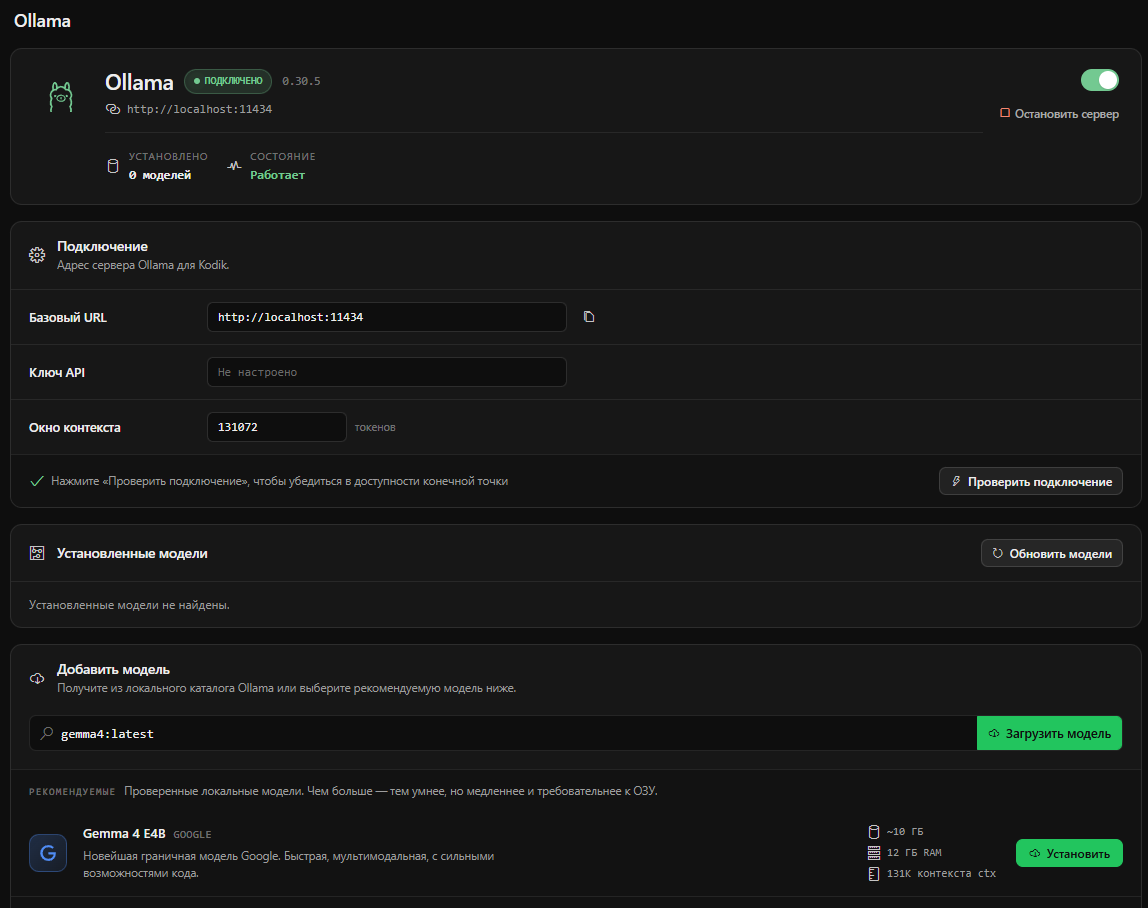
Section titled “Configuring the base URL”By default Kodik connects to http://localhost:11434. If you run Ollama on a different host or port — for example inside Docker or on a remote machine — enter the appropriate URL in the Ollama provider settings.
Request timeout
Section titled “Request timeout”The Request timeout field in the Ollama provider settings sets how long, in milliseconds, Kodik waits for the model to start responding before it gives up on the request. A large model on a cold load, or a long prompt evaluated on CPU, can take longer than the default to produce its first token — raise the timeout so Kodik waits as long as you need. The default is 60000 (60 seconds); the value is in milliseconds.
Pulling and deleting models
Section titled “Pulling and deleting models”The Ollama settings section lists your models with Pull and Delete buttons:
- Pull — Kodik opens a terminal and runs
ollama pull <model>. Watch the progress in the terminal window. - Delete — removes the model from disk via the Ollama API.
If the model you need is not yet pulled, find its name on ollama.com/library and enter it in the pull field.
Testing a model
Section titled “Testing a model”The Test model button sends a short test message to the selected model and shows the response and response time. This is useful for verifying your setup before starting real work.
Context window discovery
Section titled “Context window discovery”Kodik automatically discovers the context window size of each pulled model via the Ollama API (/api/show). If it cannot determine the exact size, it falls back to a default of 32 768 tokens.
On-the-fly adaptation
Section titled “On-the-fly adaptation”For local requests Kodik uses probing: it tries a request with the current context window size. If Ollama returns an out-of-memory error for the chosen num_ctx, Kodik automatically reduces the value and retries. Both the successful and failed sizes are remembered locally per model so the next request starts from a known-good value.
Reasoning (thinking) control
Section titled “Reasoning (thinking) control”Models that advertise the thinking capability (for example the Qwen3 family) get a per-model Reasoning toggle in the chat model picker. On keeps Ollama’s default behavior — the model thinks before answering and the thought process is shown in a collapsible block. Off sends think: false, so the model answers directly without a thinking pass — faster and cheaper on tokens for simple tasks. Models without the capability never receive the flag.
Authentication
Section titled “Authentication”If your Ollama server requires a Bearer token — for example when using Ollama Cloud or a private corporate instance — enter it in the API Key field in the Ollama provider settings. Leave it empty for a standard local installation.